SOS Alarm
User Experience
User Interface
Workshop Facilitation
Overview
Problem summary
Picta, a company working to solve issues related to prehospital care, provided a brief in which the aim of the project was to create a concept that improves and expands implementation of the existing video technology used for emergency calls in Sweden. Simultaneously, we were to explore opportunities to integrate artificial intelligence in the call technology. The project proceeded with primary focus on the elderly caller as the primary critical user, and the dispatcher as the secondary user.
My role in the project
I had the main responsibility of interviewing experts, designing and leading the workshop activities during the research phase of the project. I co-created the concept of the test environment and designed a prototype in Figma, being the lead designer of the ‘more’ page as well as the main call interface.
Solution summary
We design a one of a kind interactive installation using storytelling and symbolic characters to bridge the gap between abstract sustainability concepts and personal experience and behavior. By combining emotionally relevant narratives for the younger generation with the framework of speculative design, the project demonstrates the potential of interactive storytelling to not only raise awareness but also to build a foundation to activate internal motivation for change. It highlights that meaningful, relatable and memorable experiences are required for behavior change in the context of sustainability.
User feedback
An evaluation was done through a second workshop, which included likert scale presented to the target group. They took a position on a group of statements like “I think the app is appealing to use”, “The purpose of practicing the video technology is clear to me”, “I feel capable of using the app in the right way” and more. The evaluation was overall very positive, with the median score for every statement concluding at 6/6. Read more about the evaluation below if you want to know more!
How is video and AI implemented right now? Lets ask experts!
The initial phase consisted of three interviews with experts within the areas of prehospital care and video technology. I led multiple interviews exploring various aspects of the system such as the operator's workflow, and possible AI applications within the system. The insights were analysed and summarized with the help of a KJ-analysis and this resulted in the identification of 4 main problem areas:

Communication between patient and operator

Information during calls

Caller attitude

Now we know a lot about the operator side, but what are the implications for the caller?
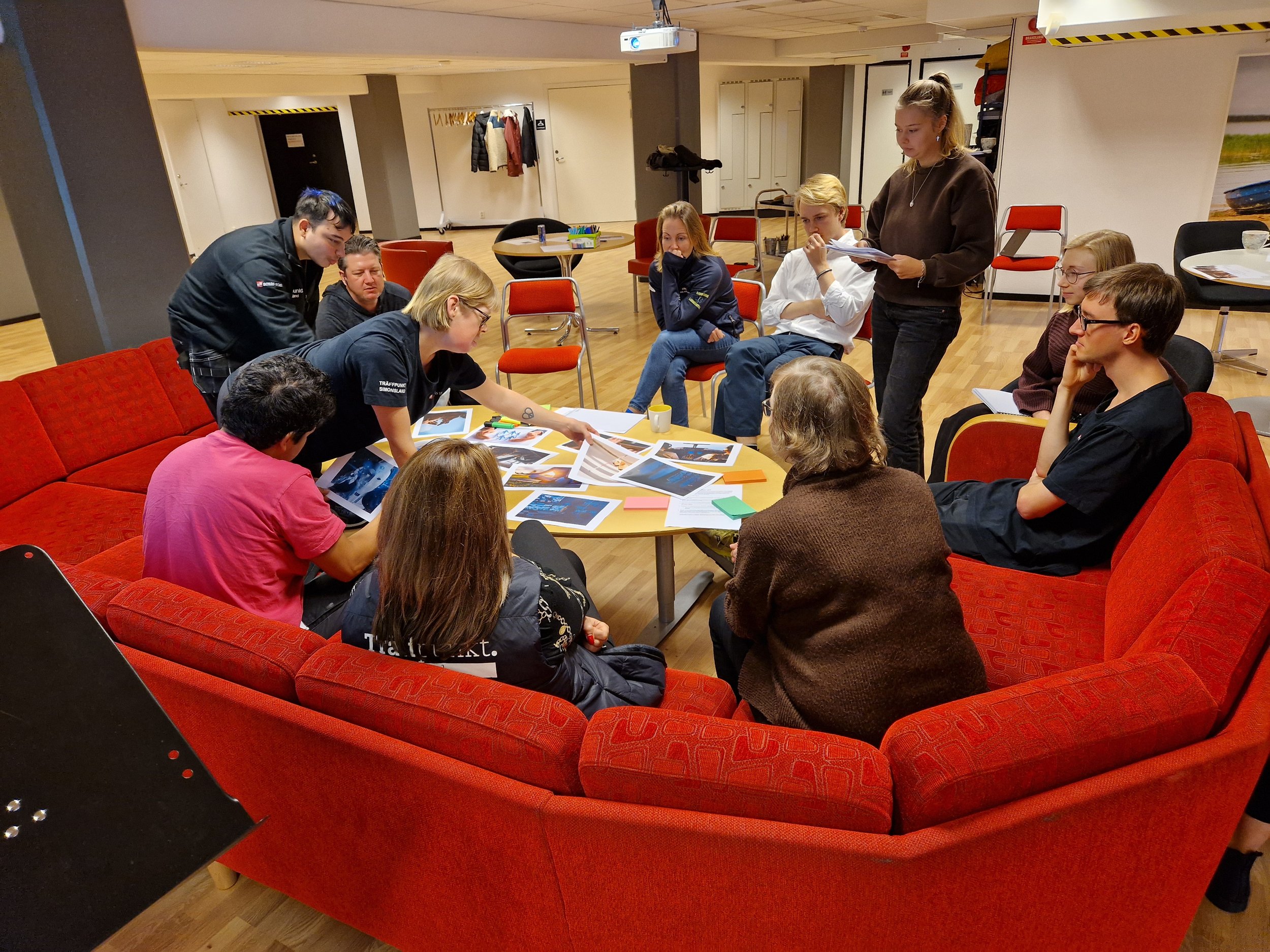
I used these topics as a foundation for designing a planned user research workshop. The design of the workshop was essential to this project and was done through various iterations and discussions between me, the project group and the collaborative partners Picta.
Operator adaptation to new technology
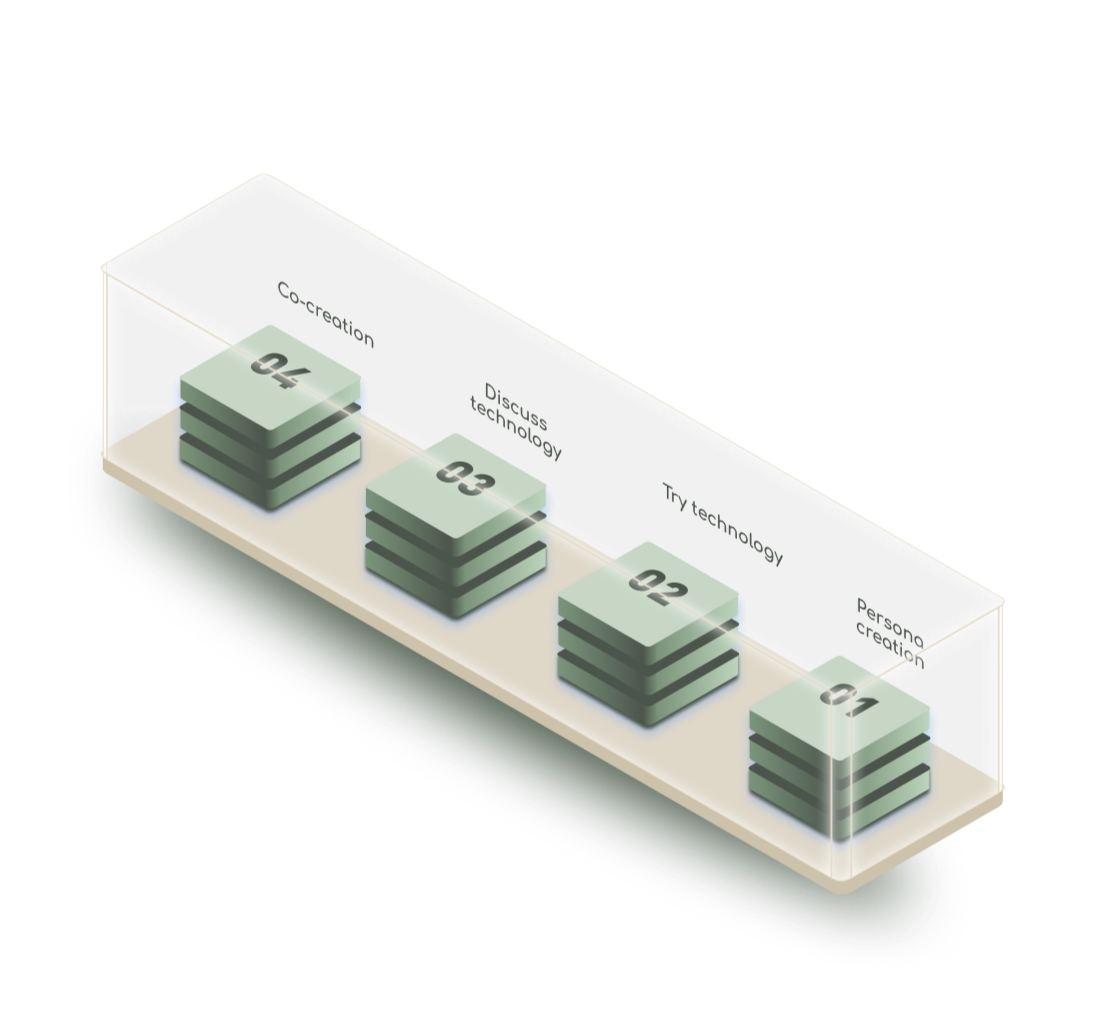
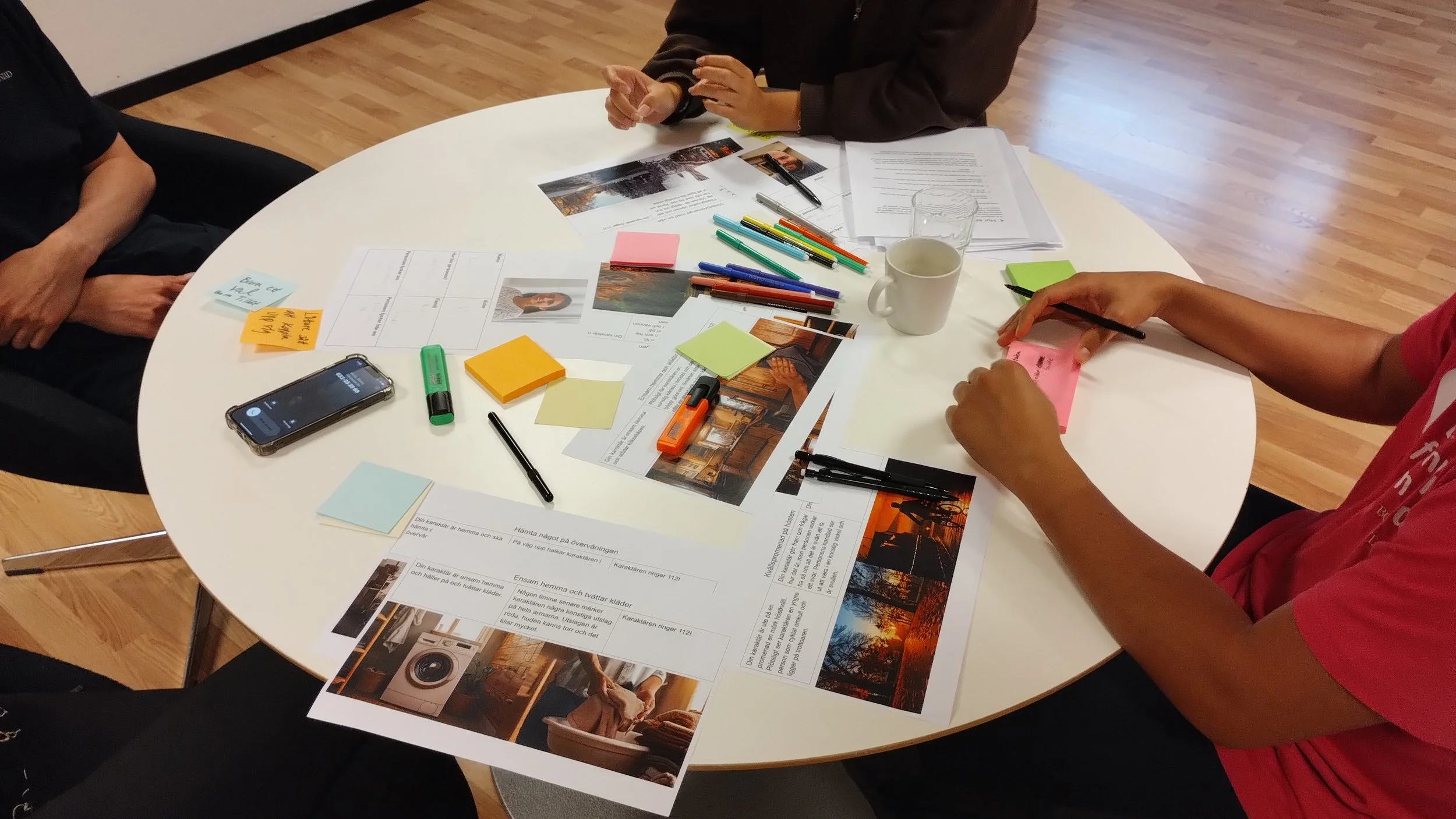
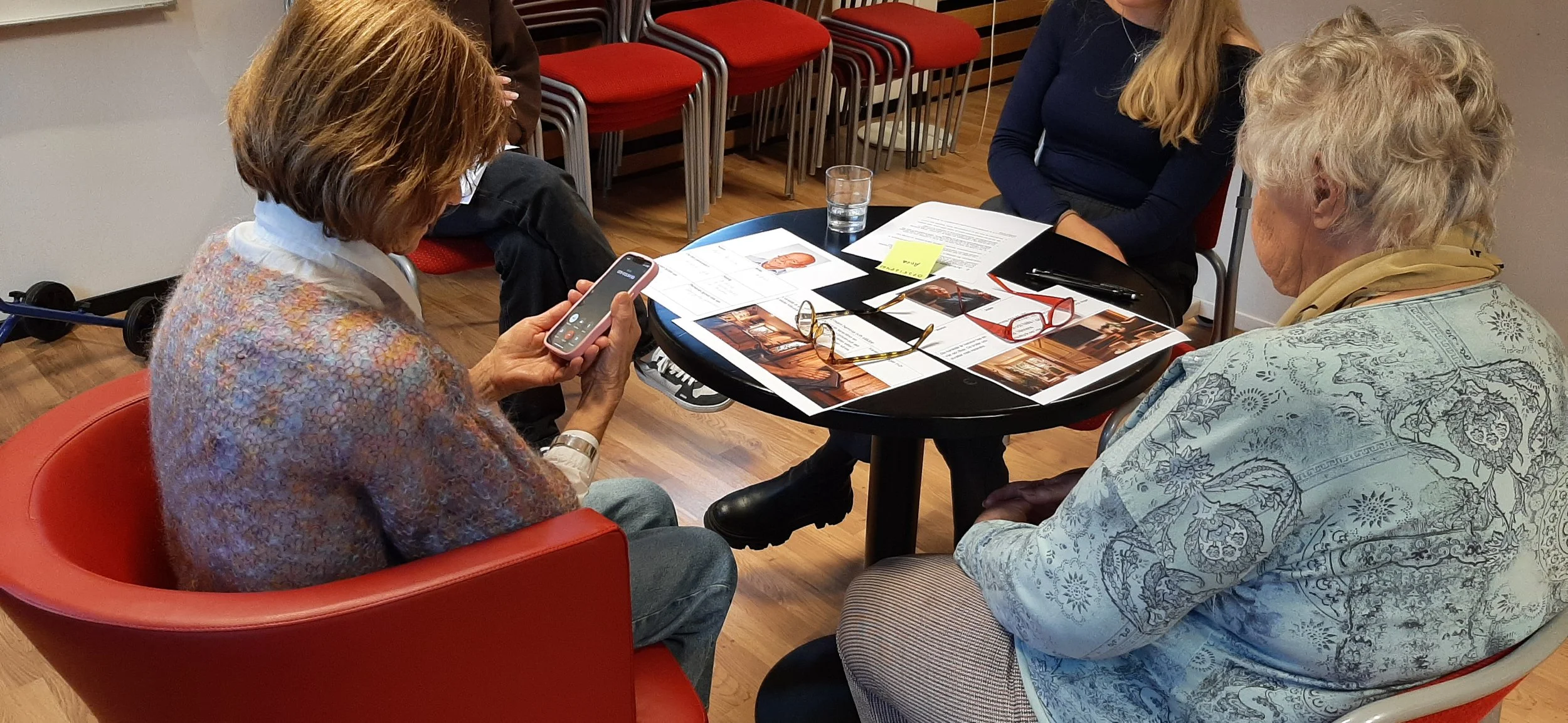
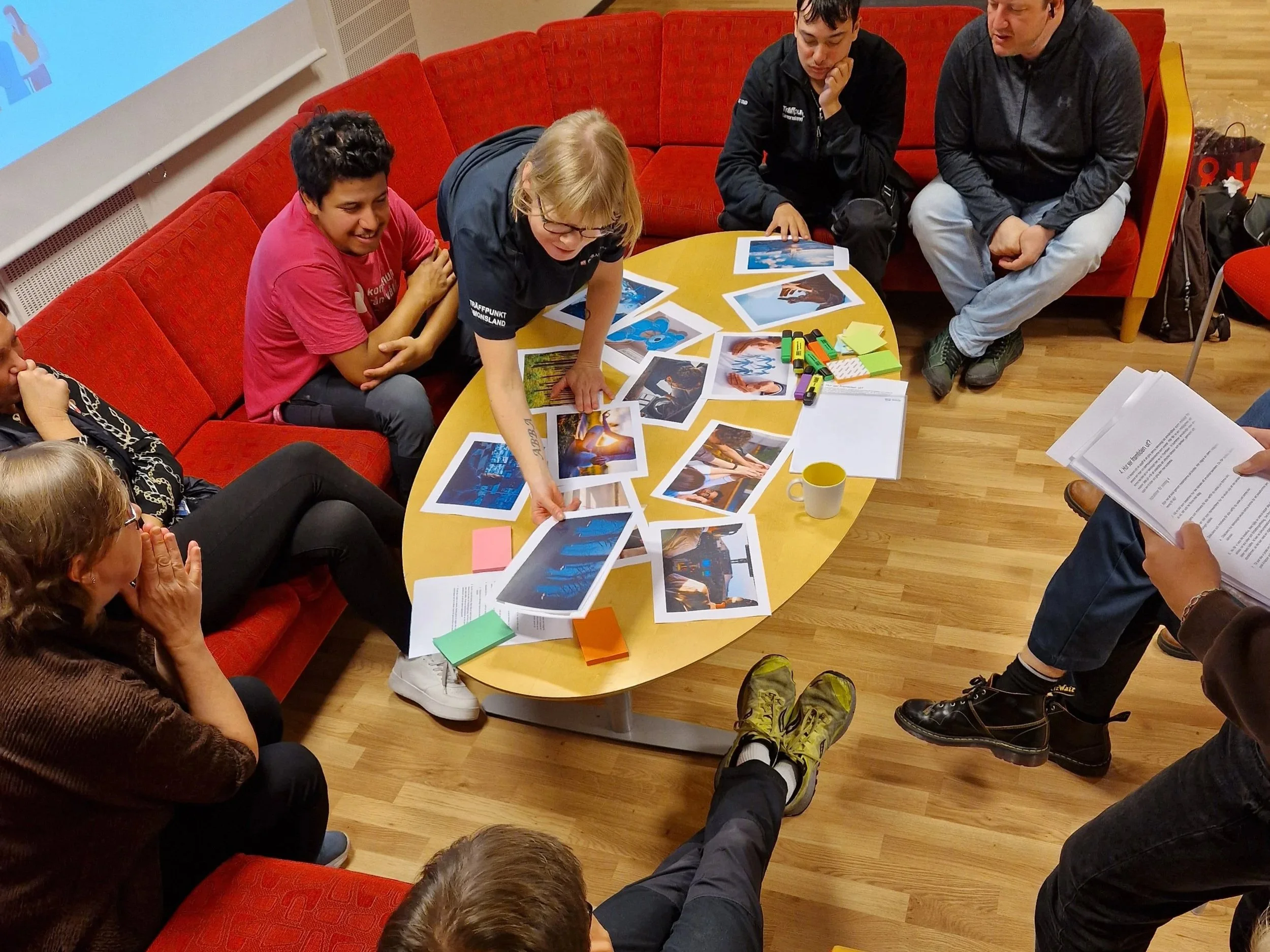
The workshop allowed participants to create fictional potential users, try the current technology from the personas point of view, acting out scenarios on their behalf, and finally discussing the technology as well contributing with improvement suggestions.

The data from the workshop was analyzed through a new KJ-analysis, and revealed a crucial outcome for the ideation phase: the issue does not primarily lie with the elderlys technological capabilities, but rather in the awareness of the existence of video technology and the ability to practice or prepare before usage in a real life scenario.
This outcome inspired our ideation process. Brainstorming and brainwriting were utilised, finally leading to the creation of paper wireframes of 3 main concepts. and evaluation methods like a pugh-matrix were utilized in the idea filtering process.
The App
-
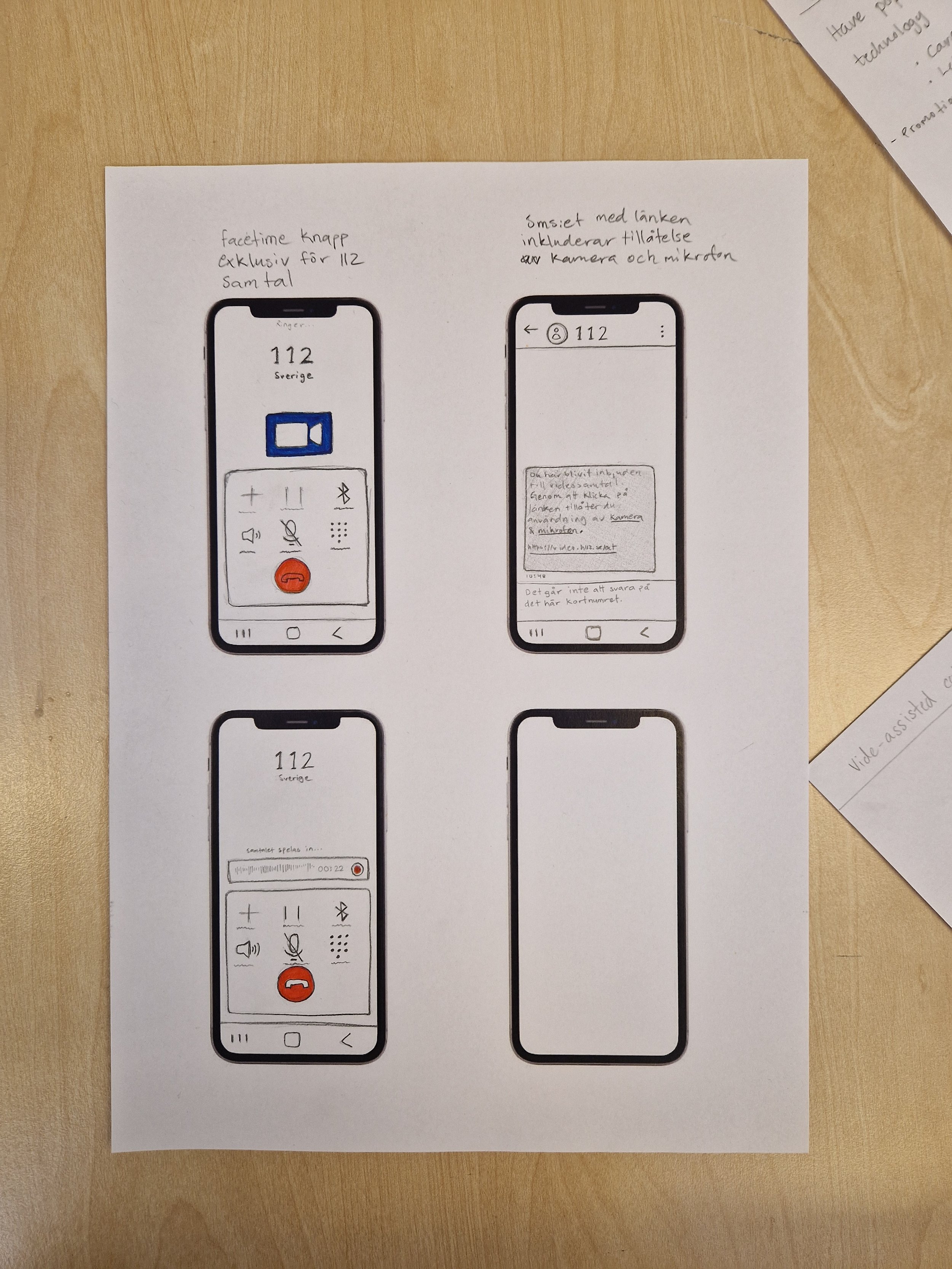
The actual call concept is a concept that focuses on the implementation of video technology in the emergency call. The call would proceed in a similar manner as is done today, with the operator sending a video link when needed. The caller clicks the link, but does not have to give consent via any pop-ups on the screen: they either give it verbally to the dispatcher or directly when clicking the link as the message they receive explains that proceeding indicates their concent. In this concept AI is included as help for the dispatcher, listening to the call and identifies signs of injuries, illness or hazards in the surrounding environment.
-
This concept explores an added feature where the technology can be tried before an emergency happens. This feature includes a step by step instruction on how to set up the video call with the dispatcher and also an explanation of how the technology works, when it is used and why it is important. In this concept the caller makes a simulated call in the app and a generative AI acts as the dispatcher and makes up a scenario that the caller plays out. The caller goes through the steps to learn how it works, in line with the identified need for knowledge of the technology, seen in the workshop.
-
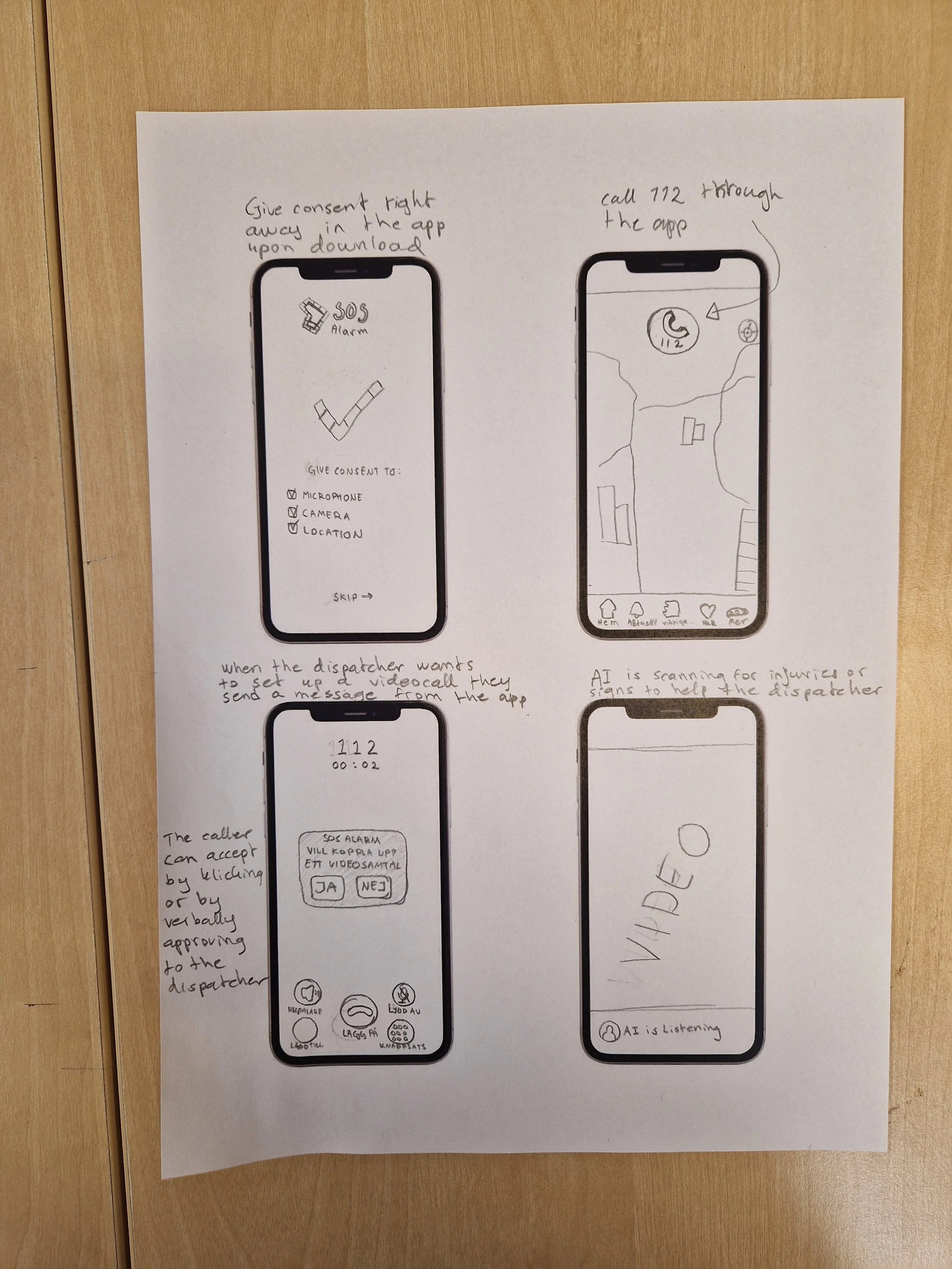
The App concept is based on the already existing 112 app. This concept is more focused on how to prepare for an easier set up of a video assisted emergency call, before an emergency happens. Upon downloading the app, the user gives consent to microphone, camera & location, this is because it was seen during the workshop that the numerous “consent steps” was frustrating and confusing for the callers. Therefore it will happen before an emergency instead. The caller then calls 112 and when the dispatcher wants to set up the video call, they can do that directly via the app, since consent is already given there.
The Actual Call
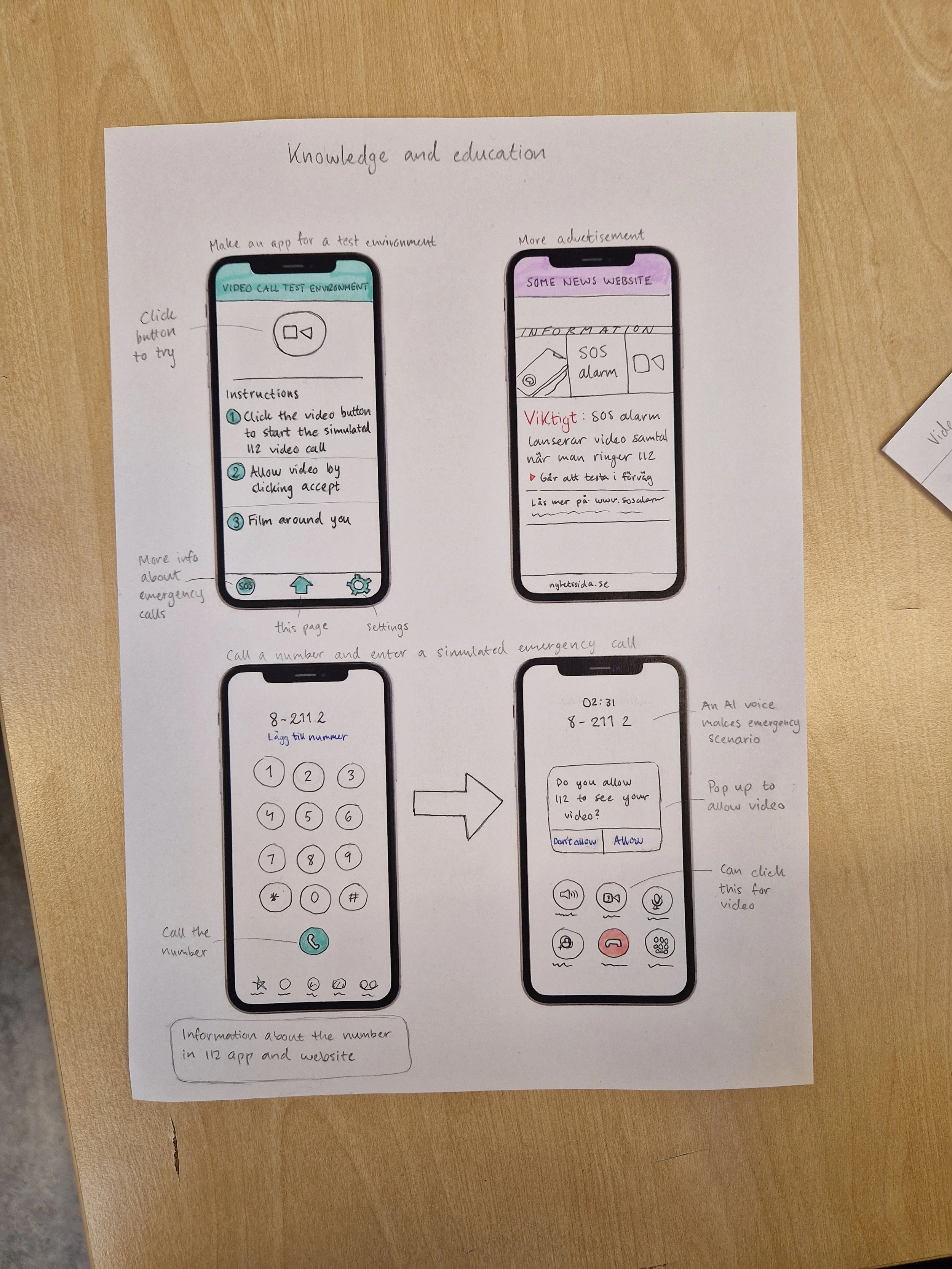
Knowledge and Education
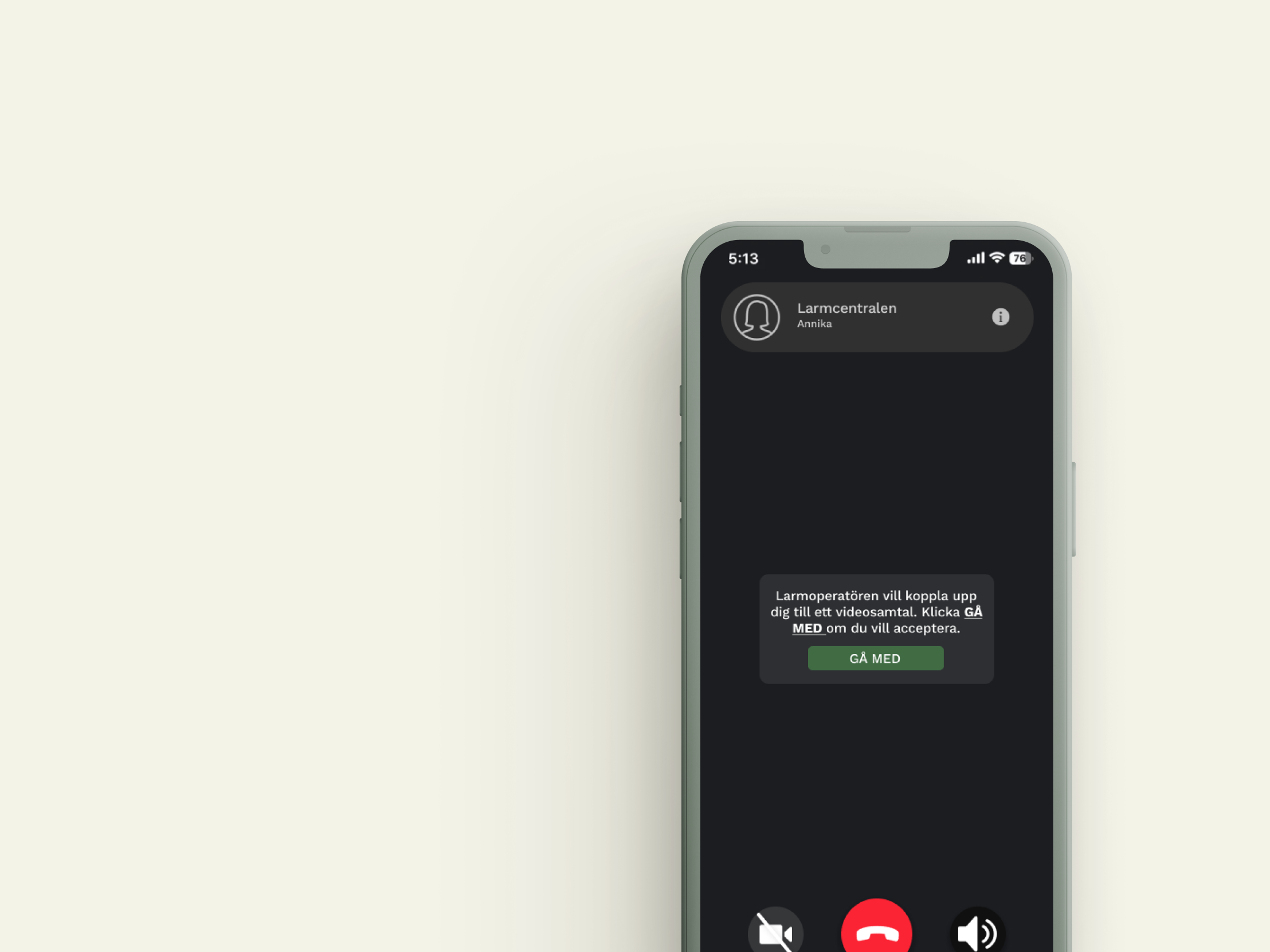
Concept
The final concept is an adjustment of the SOS alarm platform to make the emergency calls faster and more efficient, as well as an added main feature allowing users to test the video technology with the help of generative AI. This will raise awareness and educate the target group about video-assisted emergency calls.
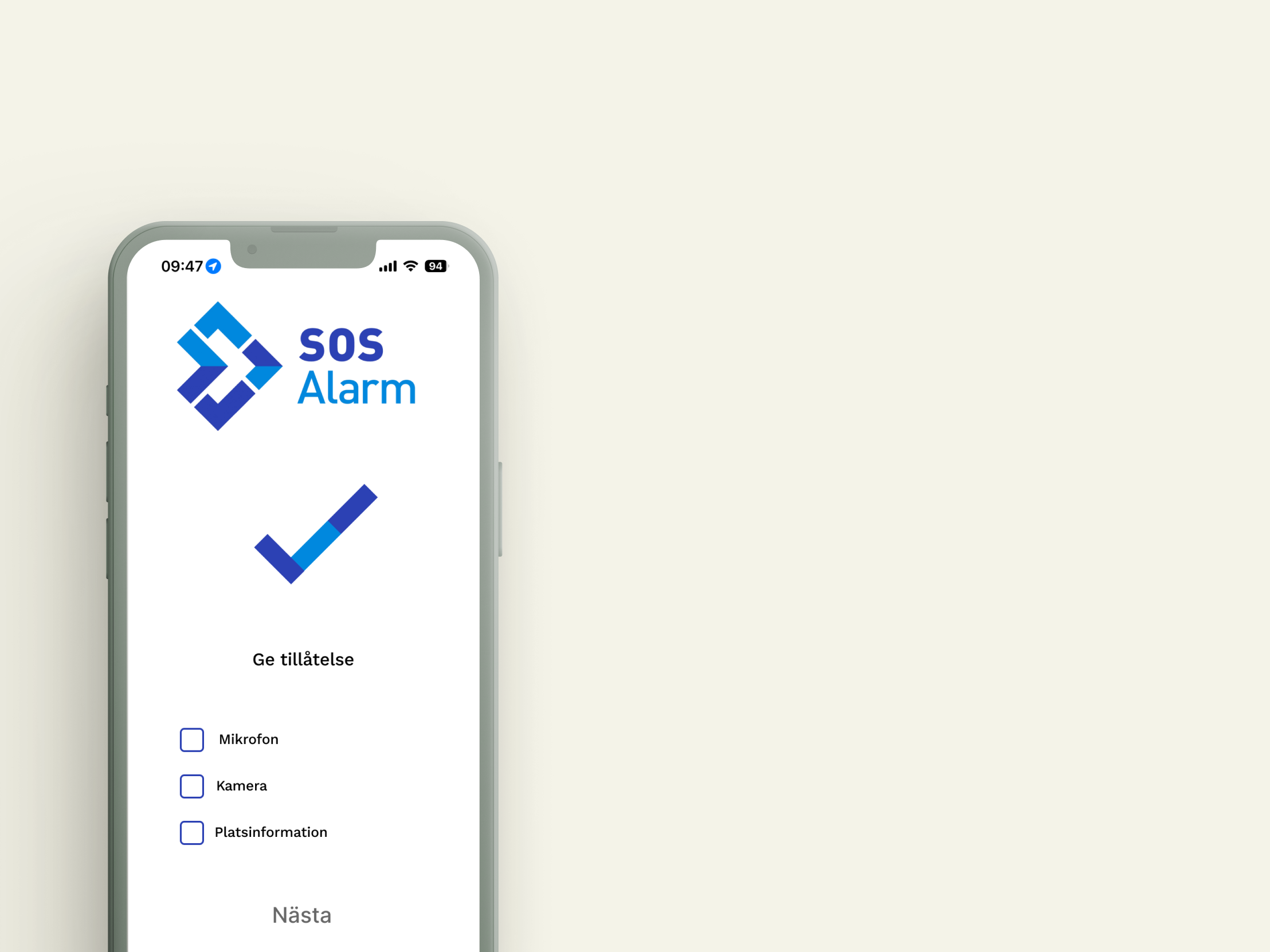
Allowance Page
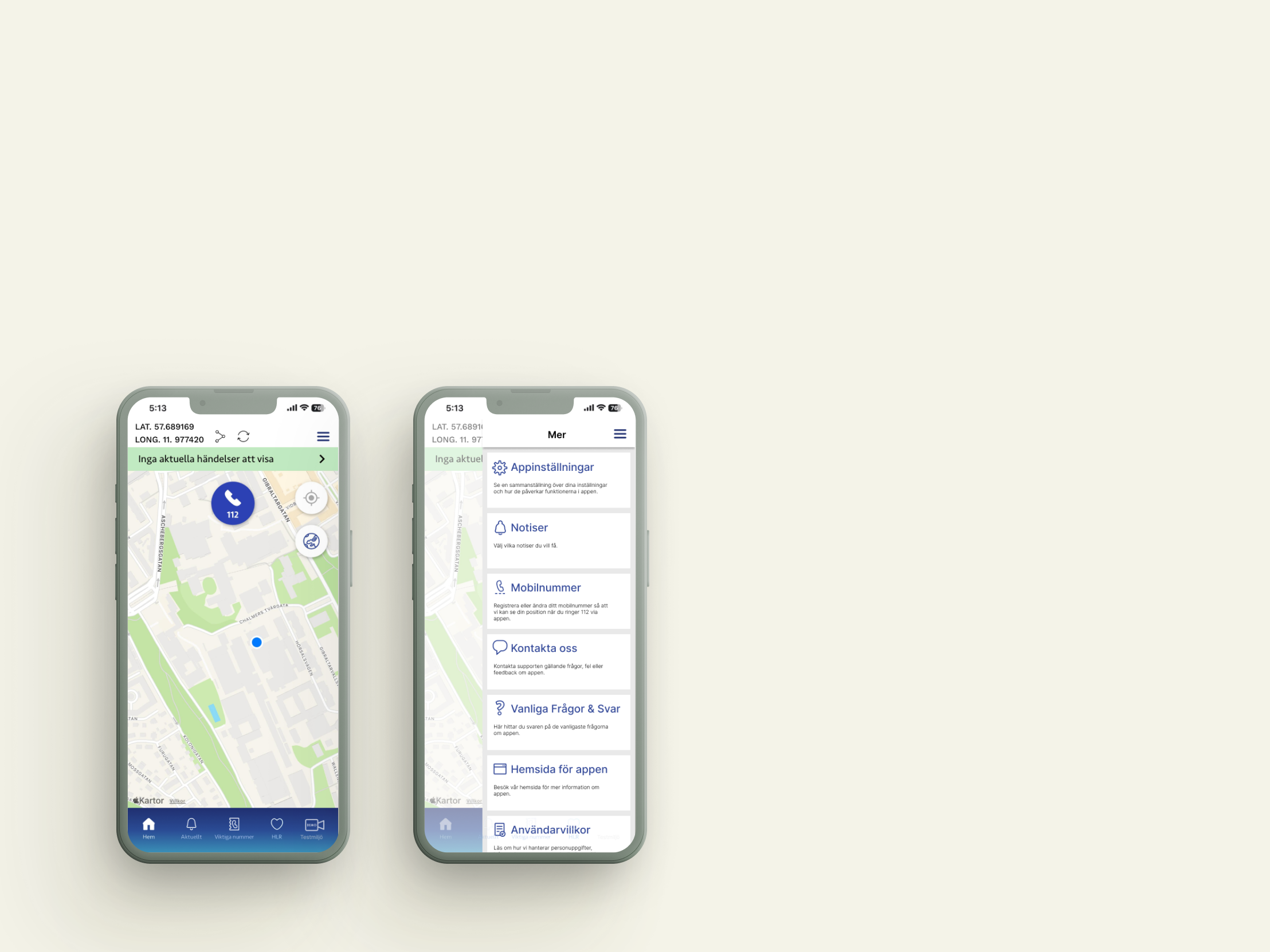
The research outcome revealed that the calls are unnecessarily prolonged due to the need to allow usage of the camera and microphone in the middle of the call. Though this step is crucial because of legislation, it has now been relocated and can be performed upon downloading the SOS alarm application, making it less of an issue in an emergency situation.
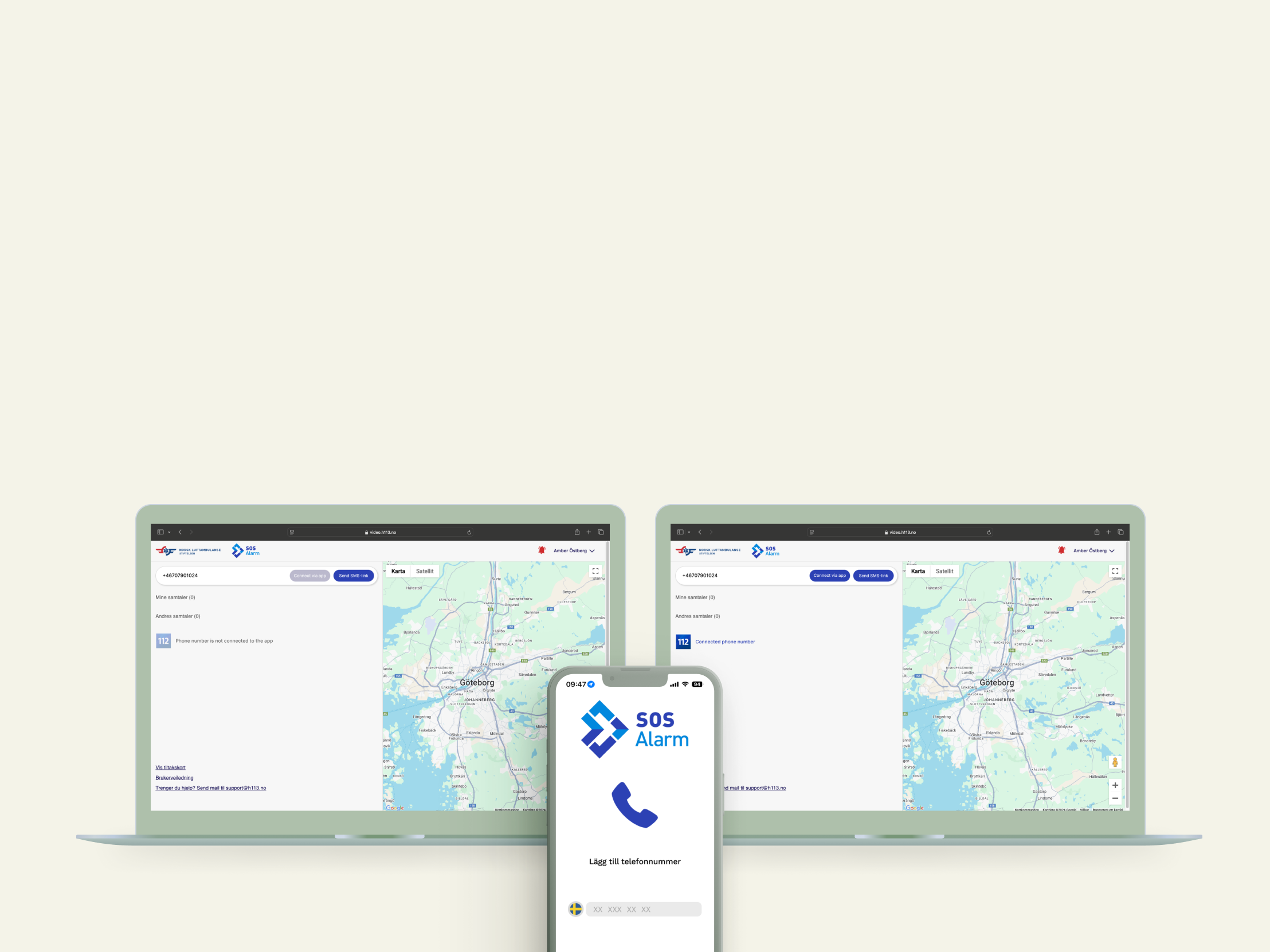
Operator Page
Users will also be able to add their phone numbers upon downloading the app. The operator will see in their interface whether the caller has a connected phone number or not, making it easier to initiate the video technology instantly.
Call Page
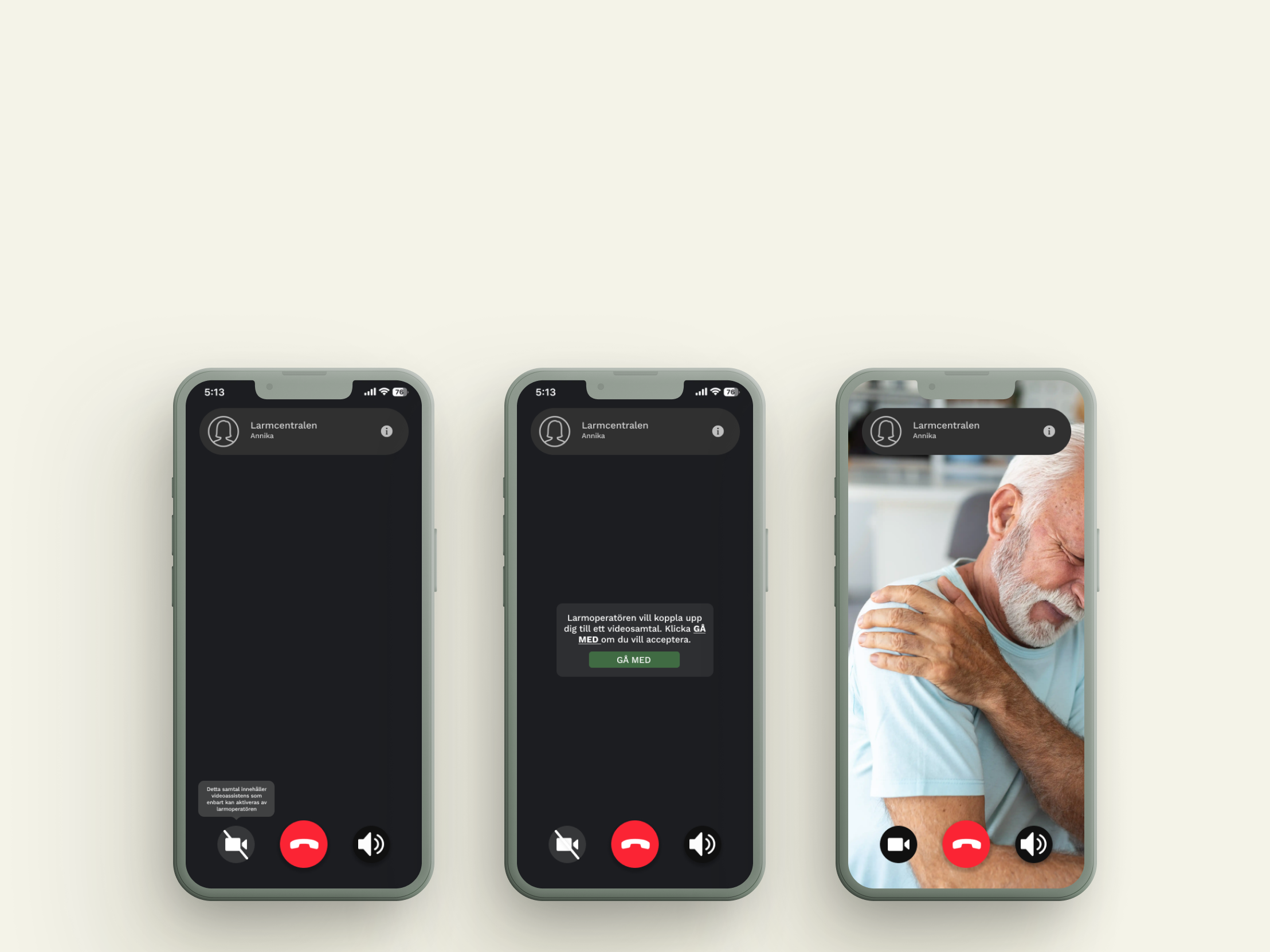
To improve efficiency, emergency calls can be initiated via the app. If the video technology is needed, the operator sends a pop-up to the caller’s phone. If the caller has already consented to camera and microphone access, clicking “join” commences the video call.
Test Environment
The final and most important feature added in the 112 app is called “test environment”. Users can test the video call function in a fictional setting. It was proven to be beneficial for the user to know how the process works and feel comfortable with it before the need to use it in an actual emergency. The real situation is very stressful and it is crucial to stay calm and know what to do.
To make room for the test environment, the more tab was relocated to the top right corner as a “burger menu”. It is replaced by the test environment page which is shown with a video camera and the words DEMO in it. This is to increase the accessibility of the test environment.
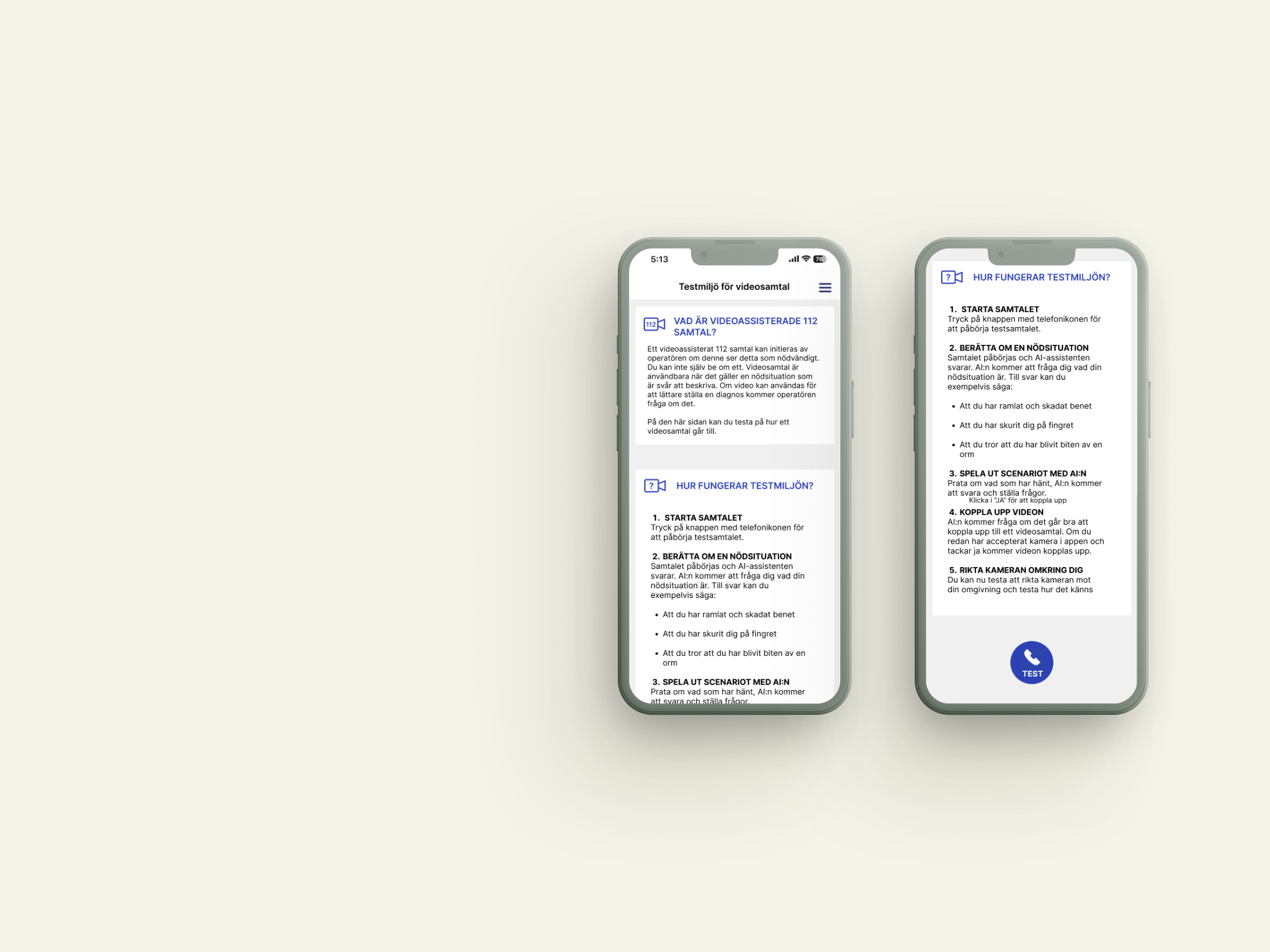
Upon entering the test environment there is a brief explanation of video assisted emergency calls and a step by step guide on how the test call works. The user will be in a fictional setting and we suggest some scenarios the user can act out.
Finally the simulated call starts when the TEST button is pressed, displaying the same call screen as was previously shown. A generative AI plays the role of the nurse and the caller can play out the scenario and practice the process of setting up a video call, as well as practice how to film themselves and their environment.

Believe in yourself, and the rest will come!
I learned to keep an open mind even if the client has set certain specifics. Not everything is always as it seems, and we should trust that the design process and specifically the user research phase WILL reveal factors that will simplify, facilitate, improve or in some way enhance the project. This project specifically also taught me the value of standing for what you believe in when faced with skepticism. Everyone has their own perspectives and background, and not everyone will see the value of design thinking and user-centered processes. Accept that people have different views, and will face you with criticism, but defend your position if you believe in it, explain your competences, values and beliefs and more often than not, an understanding can be reached.